01
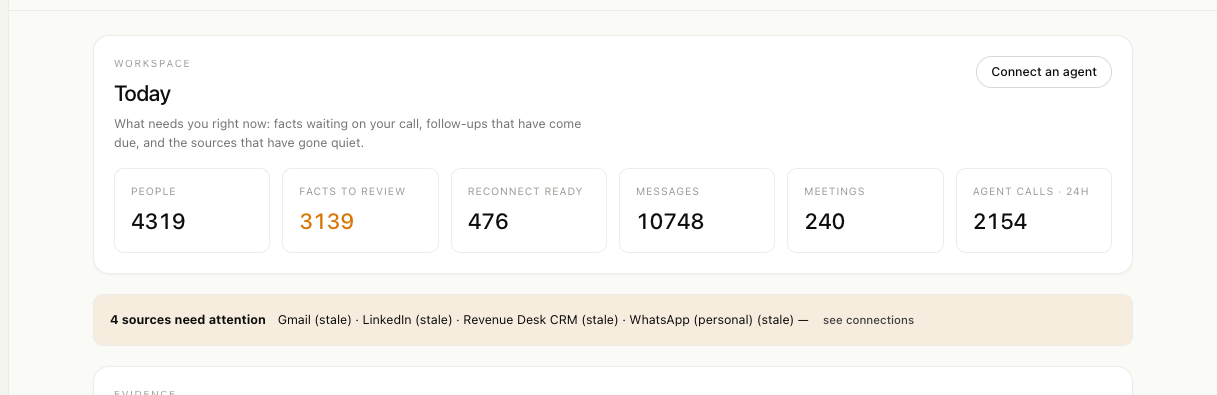
Today
Facts waiting on your call, follow-ups that have come due, and the sources that have gone quiet, named rather than smoothed over.
For B2B sales reps · decisions by Clef
Every morning: five people worth contacting, why now, on which channel, with a draft in your voice. After every call: minutes in seconds, from a recording or a voice note in English, Hindi or Hinglish. Before every close: a negotiation plan that never goes below your floor. And the three products your network could buy next.
Create an account and you get a private workspace of your own, set up in about three minutes. Only you and the teammates you invite can see it. Rather host it yourself? Deploy your own.
Every handle lands in person_identifiers, the authoritative index. One
human, one row, and no duplicate invented when a source writes a number differently.
01 / the evidence law
A model never supplies a confidence number. It reports what it observed, and the code decides what that observation is worth. Below is the real ledger, running the real arithmetic from packages/core/src/evidence.ts.
Nothing observed yet. Pick an observation on the left, or start from one of the examples below.
02 / the agent surface
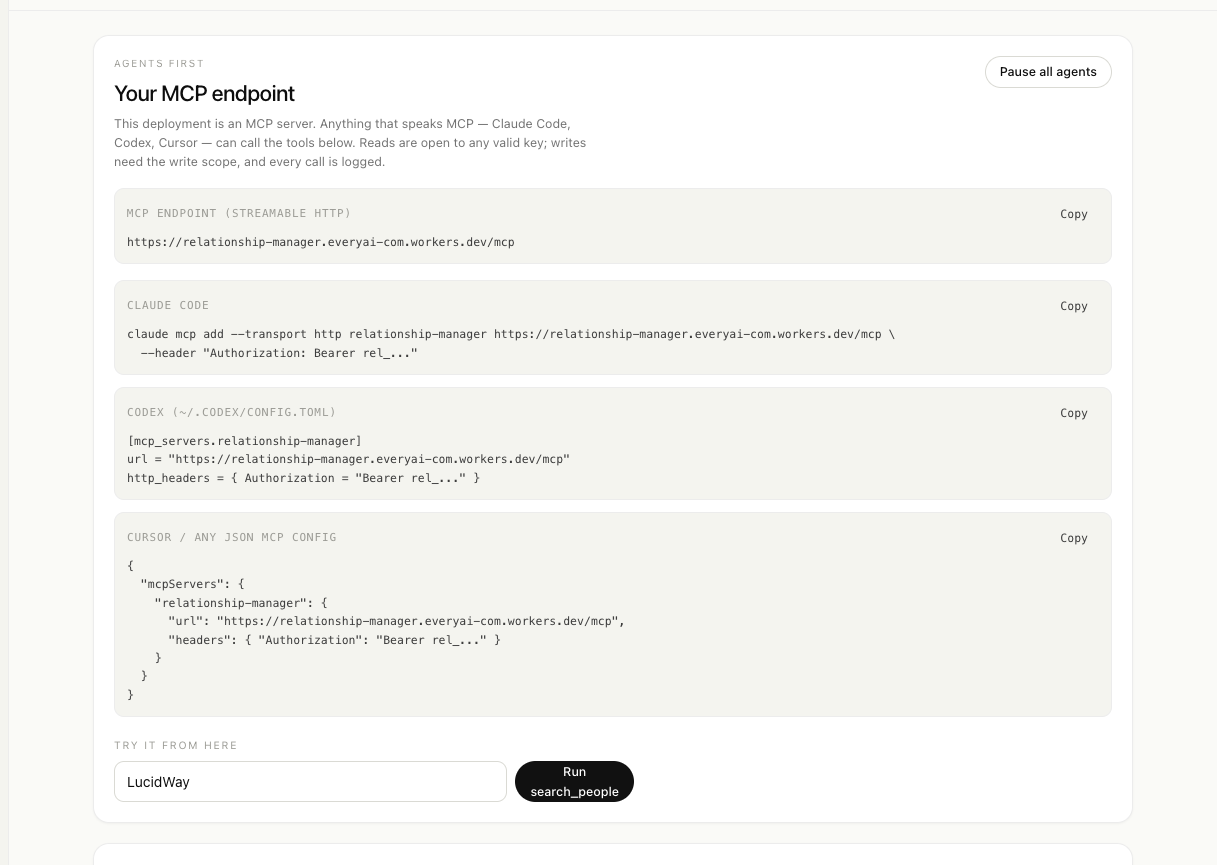
Twenty-three tools, fifteen read and eight write, defined once in packages/core/src/tools.ts. The MCP server, the REST router and the CLI all register from that list, so the tool you read about is the tool an agent calls.
/mcp
streamable HTTP
claude mcp add --transport http relationship-manager \
  https://<your-worker>/mcp \
--header "Authorization: Bearer rel_..."[mcp_servers.relationship-manager]
url = "https://<your-worker>/mcp"
http_headers = { Authorization = "Bearer rel_..." }{
"mcpServers": {
"relationship-manager": {
"url": "https://<your-worker>/mcp",
"headers": { "Authorization": "Bearer rel_..." }
}
}
}{
"mcpServers": {
"relationship-manager": {
"command": "npx",
"args": ["tsx", "packages/cli/src/mcp-stdio.ts"],
"env": {
"REL_API": "https://<your-worker>",
"REL_KEY": "rel_..."
}
}
}
}03 / what a human gets
Deciding what is true, and deciding who to reach out to. Everything else in this product is built for an agent to read. Every screenshot is the real app on a real graph.
01
Facts waiting on your call, follow-ups that have come due, and the sources that have gone quiet, named rather than smoothed over.
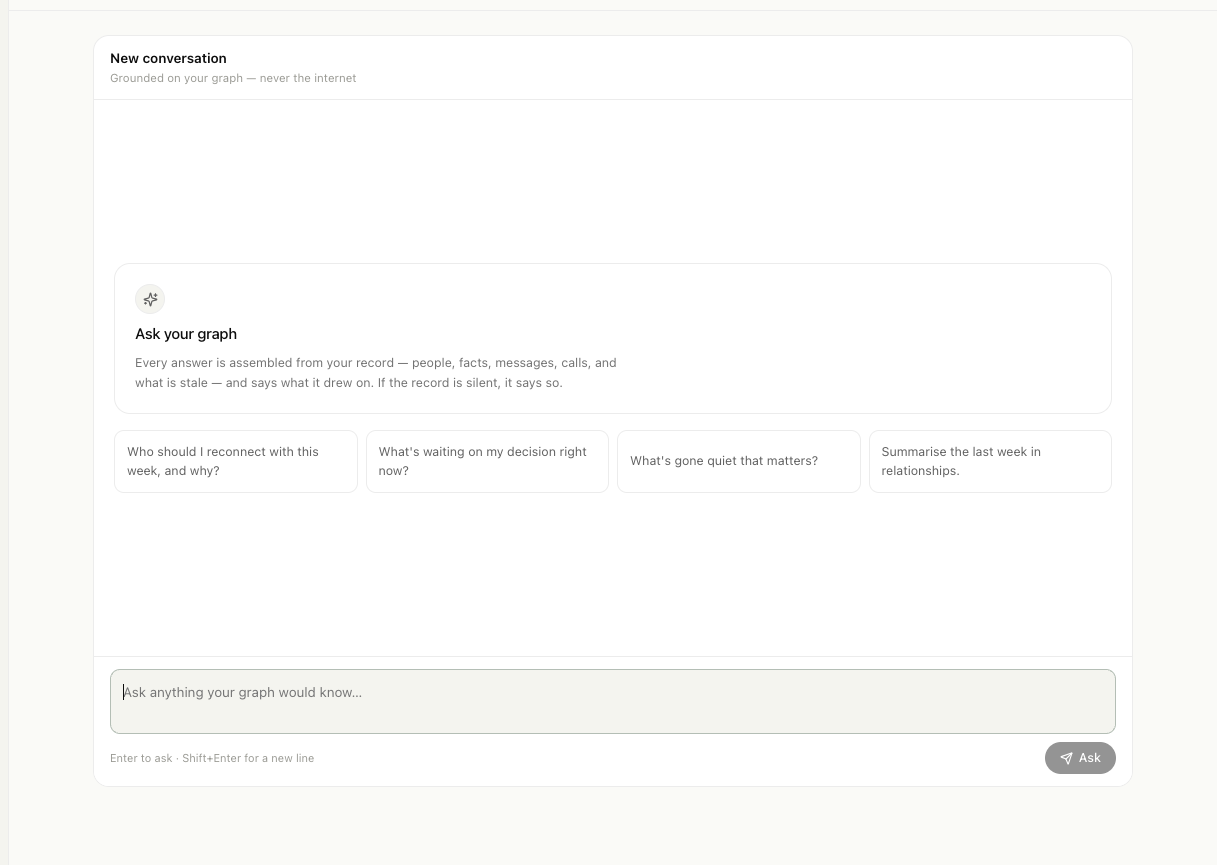
02
Four questions the graph can actually answer, with what the answer will be grounded on stated up front. Never a blank box.
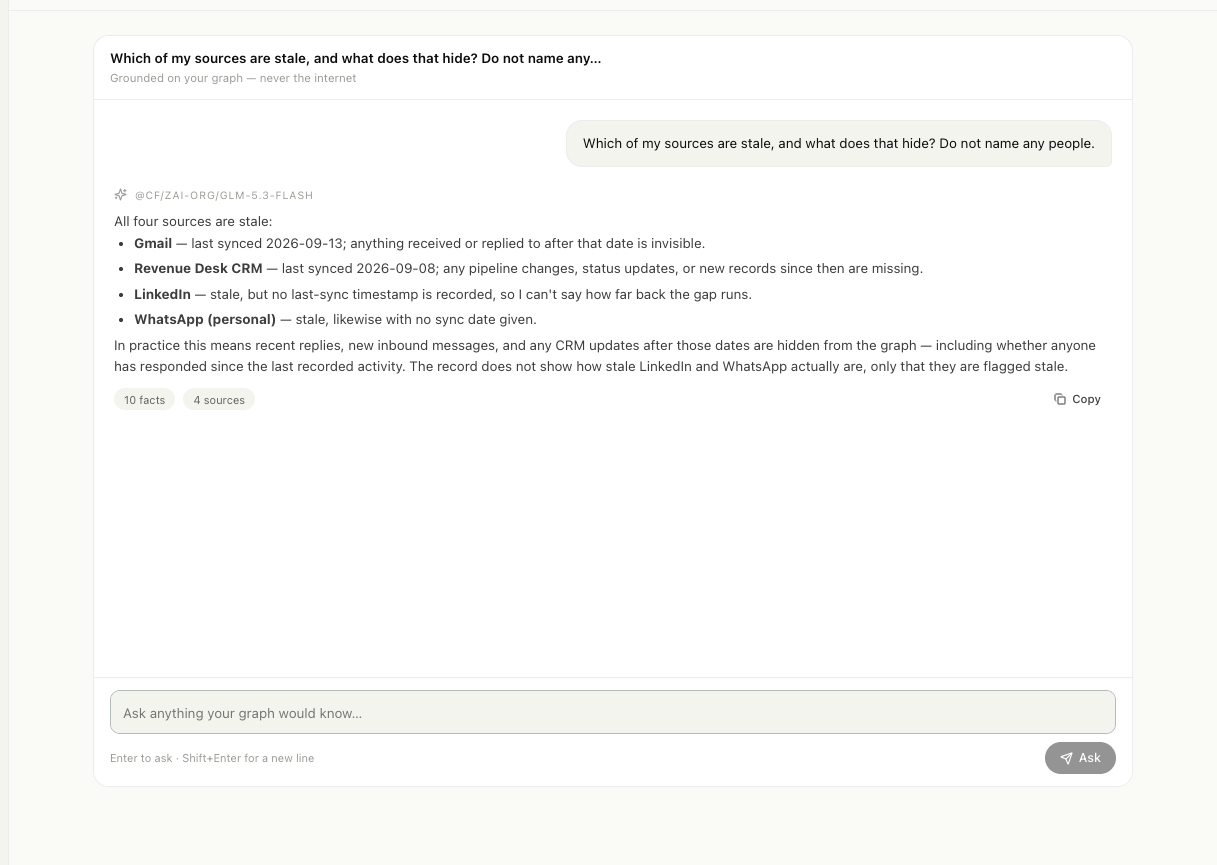
03
Answers arrive as they are written, name the people they came from, and say plainly what the record does not contain.
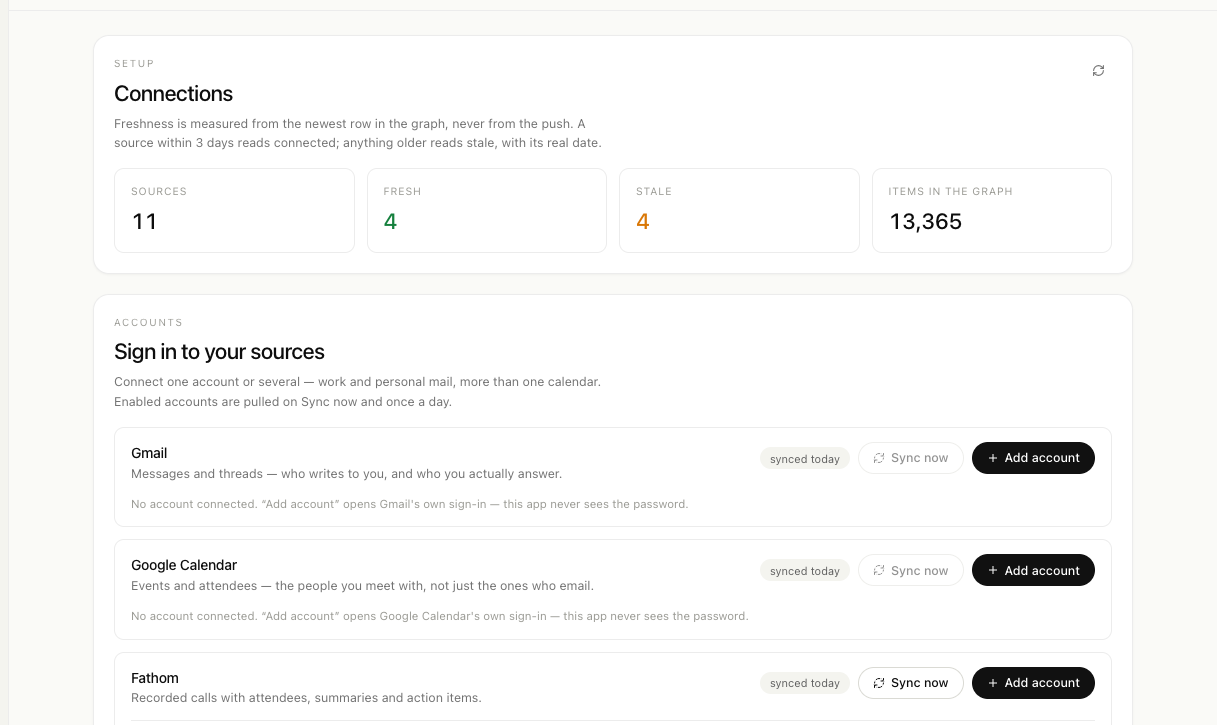
04
One row per toolkit, as many accounts as you like, each enabled or parked on its own line. The app never sees a password.
05
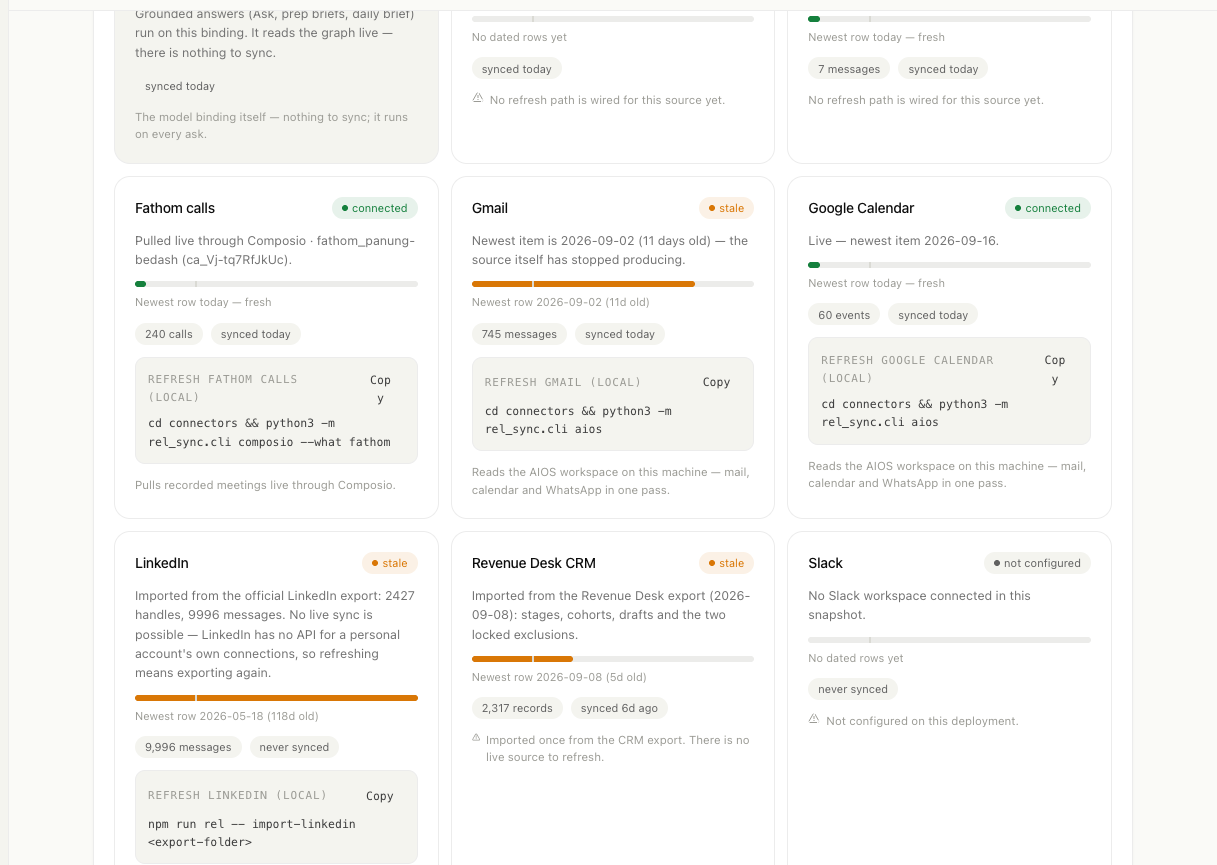
Real row counts, the age of the newest row, and the exact command that refreshes each source locally. A connector cannot claim otherwise.
06
The MCP endpoint, keys with explicit scopes, the full catalogue, the call log and the kill switch, on one screen.
04 / told straight
A demo that hides its edges is a worse demo. These are the real limits, written by the people who built it.
Gmail, Google Calendar and Fathom can be pulled from the cloud on a daily schedule. LinkedIn, Instagram and WhatsApp cannot be live at all: the first two have no API for a personal account, and the third is read from a desktop app on your own machine.
A source that produced rows yesterday and then died still reads as connected for two more days. That is deliberate, because it stops the status flapping, and it is why the dates are always shown next to the label.
The same human across email, phone and socials is usually resolved into one row. A person who appears under two unrelated addresses can still arrive twice, so merge those by hand rather than trusting the heuristic blindly.
Every new account gets its own workspace, stored apart from everyone else's. Teammates join by invite as members or viewers, and nobody outside the workspace can read it.
It cannot draft or send anything, and writes go through the evidence ledger where a person stands in the way. The model behind it reasons, so answers take seconds and sometimes longer.
They are Phase-0 calibrated, not constants proven against outcomes. The bands are honest about what they are, and the weights live in one file so they can be argued with and changed.
05 / run it
One Worker, one database, one AI binding, in your own Cloudflare account. There is no hosted service in the loop, and the graph starts empty on purpose.
npm install..dev.vars.example to .dev.vars and fill it in.npm run db:create, then paste the id it prints into wrangler.jsonc.npm run db:migrate.BETTER_AUTH_SECRET from openssl rand -hex 32, then build and deploy.npm run deploy:cloudflare
# finds or creates the database,
# generates the session secret,
# migrates, builds, deploys.
# It will not replace an existing
# database, and it will not rotate
# a secret that already works.